Players Region
Change the region code of the Blu-ray software player. This region code is a restriction implemented by the software players, which is different from the DVD drive region codes.
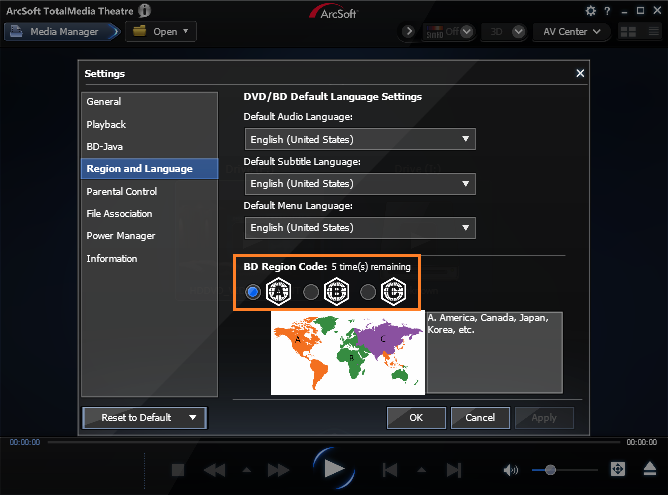
PowerDVD, WinDVD, and TotalMedia Theatre all limit the number of times you can change the player region code, up to 5 times, with Xreveal you can change it freely.
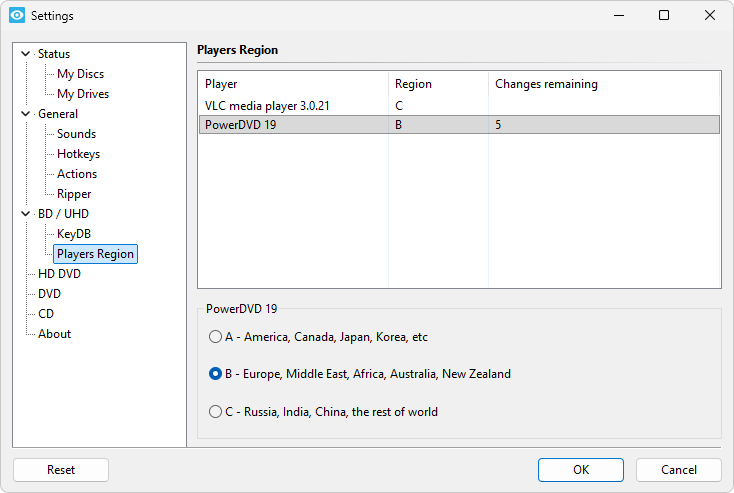
List of supported players:
- VLC Media Player
- TotalMedia Theatre 3
- TotalMedia Theatre 5
- TotalMedia Theatre 6
- WinDVD 9
- WinDVD 10
- WinDVD 11
- WinDVD 12
- PowerDVD 7
- PowerDVD 8
- PowerDVD 9
- PowerDVD 10
- PowerDVD 11
- PowerDVD 12
- PowerDVD 13
- PowerDVD 14
- PowerDVD 15
- PowerDVD 16
- PowerDVD 17
- PowerDVD 18
- PowerDVD 19
- PowerDVD 20
- PowerDVD 21
- PowerDVD 22
- PowerDVD 23
- PowerDVD 24


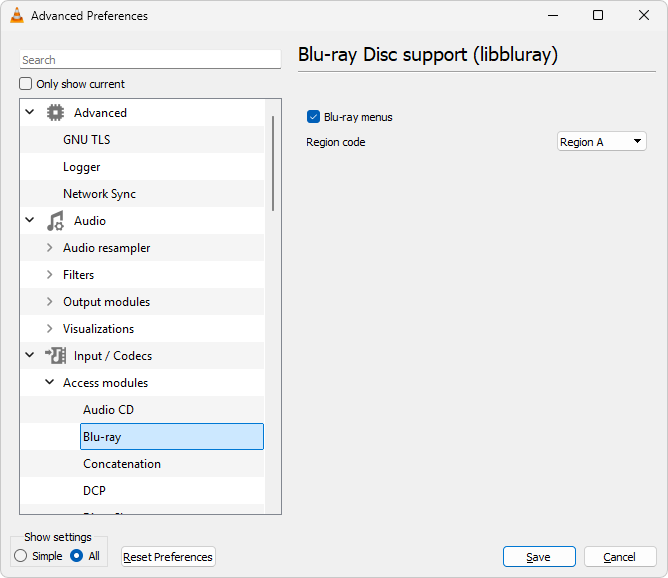
For VLC, please click "All" in the bottom-left corner of 'Advanced Preferences' to show the Blu-ray region settings.
After Xreveal modifies the VLC's Blu-ray region code, you need to restart VLC for it to take effect.