General
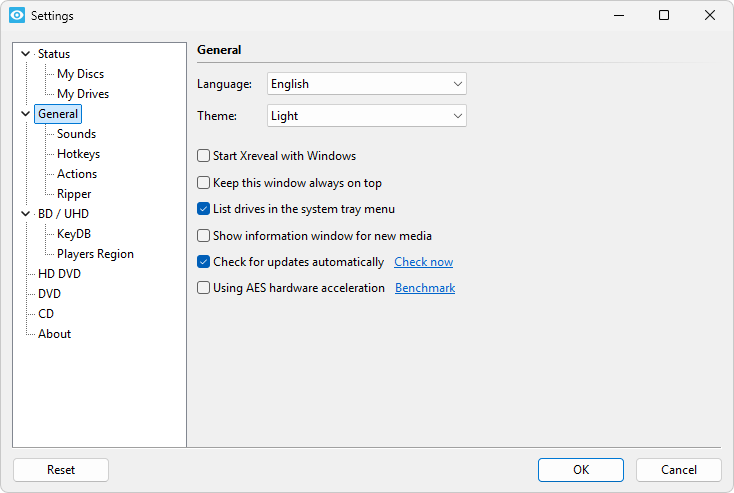
Language
Here you can choose the desired language of Xreveal's user interface.
The currently available languages are:
- English
- Bulgarian (Български)
- Chinese (简体中文)
- French (Français)
- German (Deutsch)
- Italian (Italiano)
- Japanese (日本語)
- Korean (한국어)
- Polish (Polski)
- Russian (Русский)
- Spanish (Español)
- Swedish (Svenska)
If you want to add other languages, please refer to Translations for Xreveal.
Theme Pro
This feature is only available on Windows 10 and later versions.
| Value | Description |
|---|---|
| Dark | Dark mode |
| Light | Light mode |
| System | Theme will changed automatically when the system theme changed |
Start Xreveal with Windows
If this option is enabled, Xreveal will be started always on Windows startup.
Keep this window always on top
If this option is enabled, the settings window will be always on top.
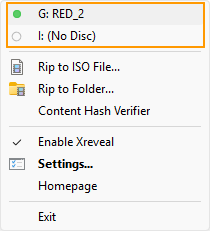
List drives in the system tray menu
If this options is enabled, the Xreveal tray menu will list drives.
Show information window for new media
This option allows you to display an information window, after new media is inserted.
Check for updates automatically
If this option is enabled, Xreveal will check for updates automatically.
Using AES hardware acceleration BD UHD
If this option is enabled, Xreveal will decrypt M2TS with AES-NI instrucutions.