My Drives
List the currently available optical drives. Xreveal will not scan the drive if it's not checked.
Double-clicking the drive allows you to view detailed information about the drive, such as the drive certificate.
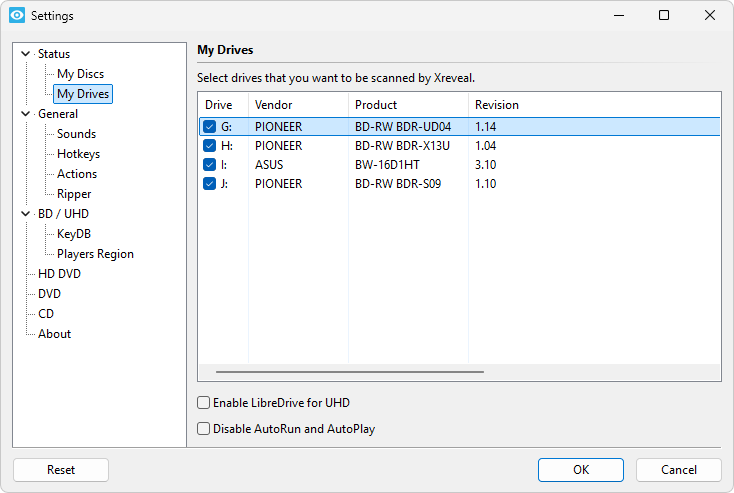
Enable LibreDrive for UHD
This is a global setting for all optical drives. If you only want to set a specific drive, you can do so on the interface after clicking the respective drive.
Currently, there is no publicly available AACS 2.0 Host Certificate, and UHD discs will all enable bus encryption. If you want to remove bus encryption, there are several methods:
- Use Official UHD drives supported by MakeMKV LibreDrive
Once LibreDrive is enabled, it can disable bus encryption. Enable LibreDrive for UHD is the settings for this type of drivers. - Use UHD-Friendly drives
These drives allow the host to obtain RDK using an AACS 1.0 host certificate to remove bus encryption.
Drive Information
Double-click a record in My Drives will show the drive information:

If the drive certificate signature is correct, the Drive certificate will be shown in green color, else in red.
Click 'Drive certificate 1.0' or ‘Drive certificate 2.0' will show the AACS certificate decoder:
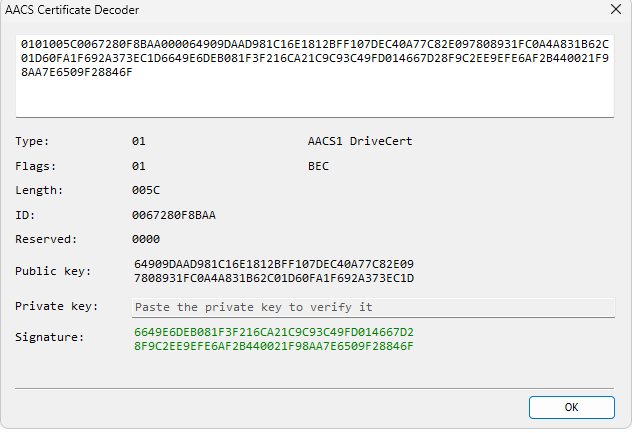
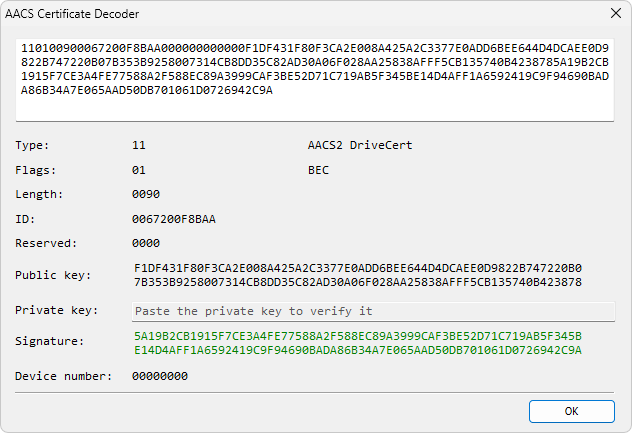
If the drive certificate signature is correct, the signature will be shown in green color, else in red.
If you paste the certificate ‘Private key’, Xreveal will verify the private key and show it in the corresponding color.