content-hash-verifier
Free portable command line tool to verify the integrity of Blu-ray M2TS files.
Download for Windows x64/x86/arm64
Download for macOS universal binary
Download for Linux x64/x86
Command Line
Usage:
        content-hash-verifier [switch] [iso or folder]
Switch:
        -a        abort on mismatch hash
        -h        help
        -?        help
        -nologo   suppress copyright message
        -k[file]  specify keydb.cfg location
        -p        show progress
        -v        verbose output
Example:
        content-hash-verifier d:\avatar\
        content-hash-verifier "-kd:\keydb.cfg" d:\avatar_decrypted\
If you want to verify the content hash of a disc in the drive, make sure there is no bus encryption (if there is, please run makemkv to disable it before using this tool).
Return value
| Value | Description |
|---|---|
| 0 | Match |
| 1 | Mismatch |
| 2 | No M2TS file |
| 3 | No hash unit |
| 4 | Cannot open file |
| 5 | BD+ protection was removed, cannot verify |
| 6 | No memory |
| 7 | Sync byte (0x47) not match |
| 8 | Cannot find unit keys to restore m2ts files |
| 9 | Failed to parse UDF file system |
What is content hash?
AACS_Spec_BD_Prerecorded.921.pdf
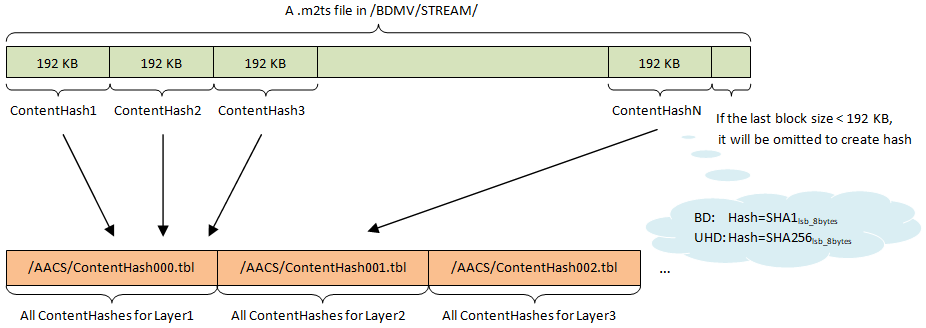
The Content Hash Table shall contain an 8-bytes hash value for each hash unit of the Clip AV stream files under "\BDMV\STREAM" directory in the corresponding layer. Detail of the hash calculations are defined in Section 2.3.2 of this specification. Each Clip AV stream file is sequentially divided into hash units from head to tail, and the size of each hash unit is 96 Logical Sectors. Note that the tail portion of each Clip AV stream file, which size is less than 96 Logical Sectors, is omitted from storing of its hash value. If the file size of Clip AV stream file is exactly the multiple of 96 Logical Sectors, there is no tail portion to be omitted from storing. If a Clip AV stream is divided in two and recorded on the both layer, the extents size of each Clip AV stream file on the Layer 0 shall be exactly the multiple of 96 Logical Sectors, and the extents of each Clip AV stream file on the Layer 1 shall be logically recorded after the extents of the corresponding Clip AV stream on the Layer 0. Note that the size of CHT is zero byte if there is no Clip AV stream that have a file equal to or more than 96 Logical Sectors on the corresponding layer.
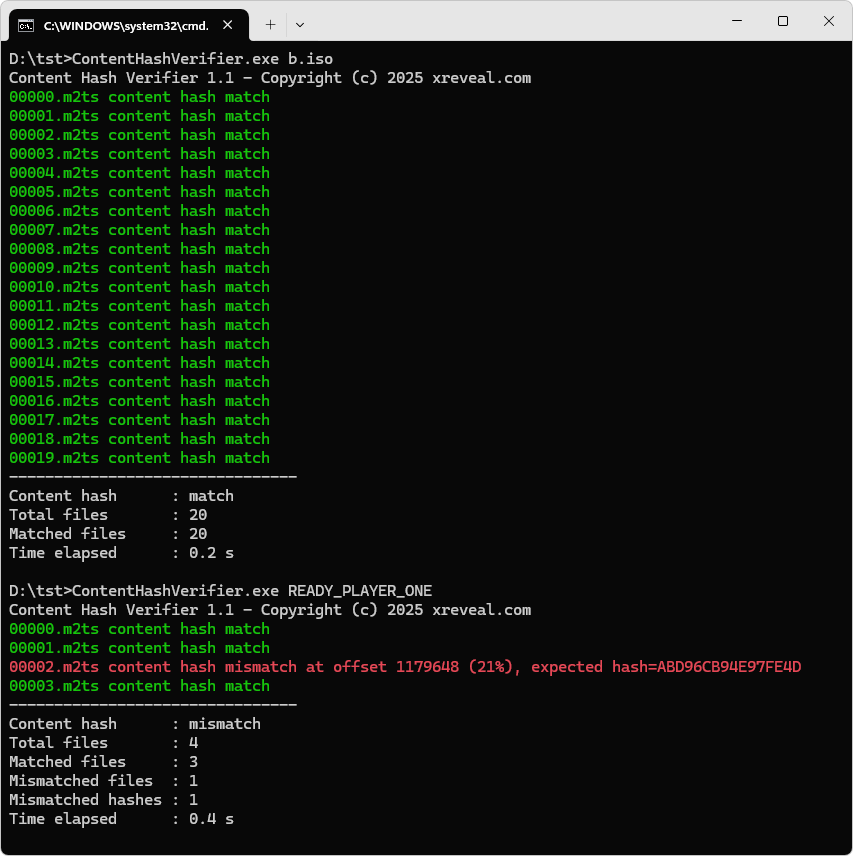
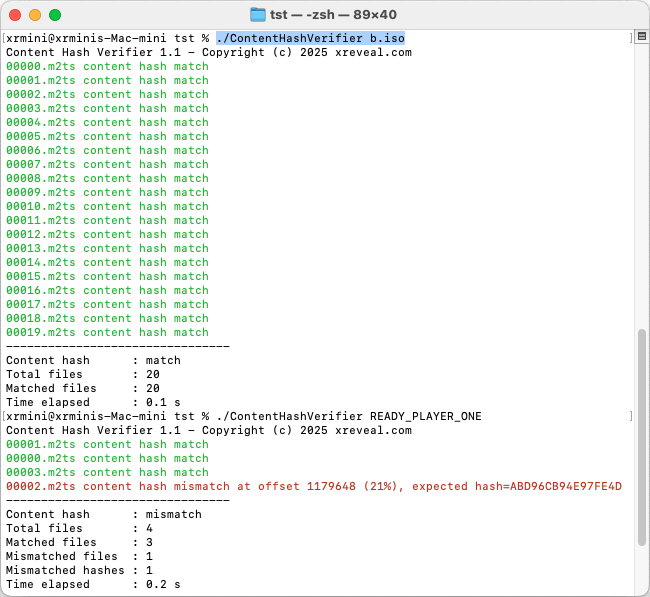
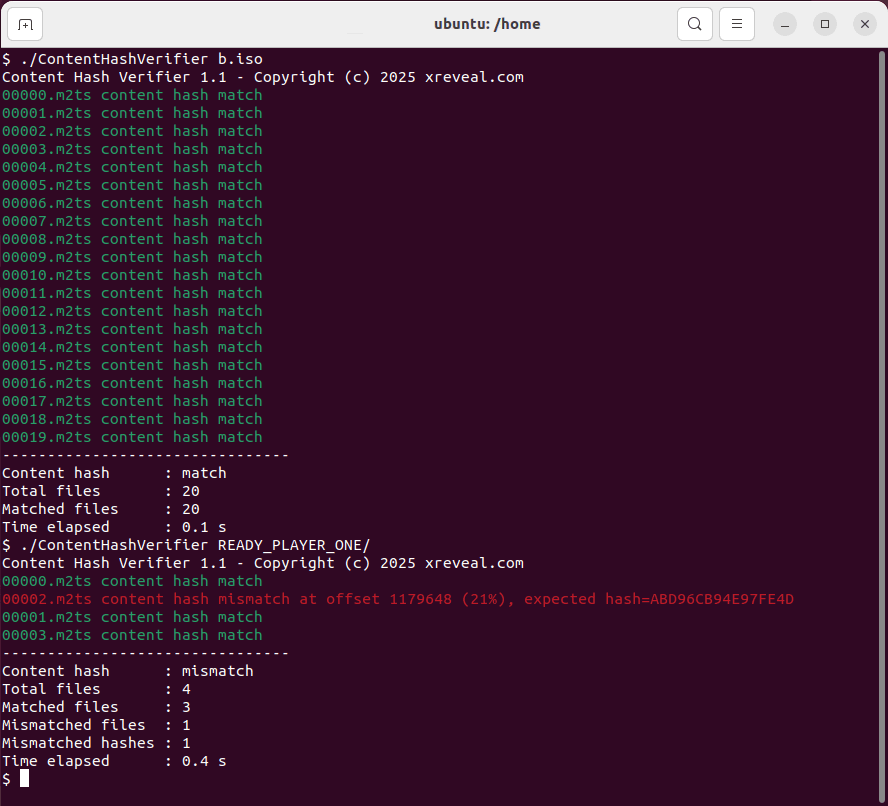
Every 192KB in an M2TS file has a Content Hash. By verifying the Content Hash, you can determine whether the M2TS contains bad data.
Feature Comparison
| Features | This command line tool | GUI version |
|---|---|---|
| Retrieved unit keys order | Windows:
|
Windows:
|
| Verified decrypt ISO/Folder which CCI bytes are removed | No | Yes |
| License | Freeware | Pro |
Screenshots
Changelog
Version 1.4 2026-08-04
  Fixed crash when loading keydb.cfg
  Added more detailed return value

Version 1.3 2025-12-30
  Added verify the integrity of decrypted ISO/Folder

Version 1.2 2025-06-24
  Added verify content hash of AACS 2.1 .fmts files

Version 1.1 2025-02-18
  Added support verifying content hash of .iso files
  Added -a switch, which will abort to verify the current m2ts file on mismatch hash
  Added -nologo switch to suppress copyright message
  Added -p switch to show the progress

Version 1.0 2024-05-24
  First public release